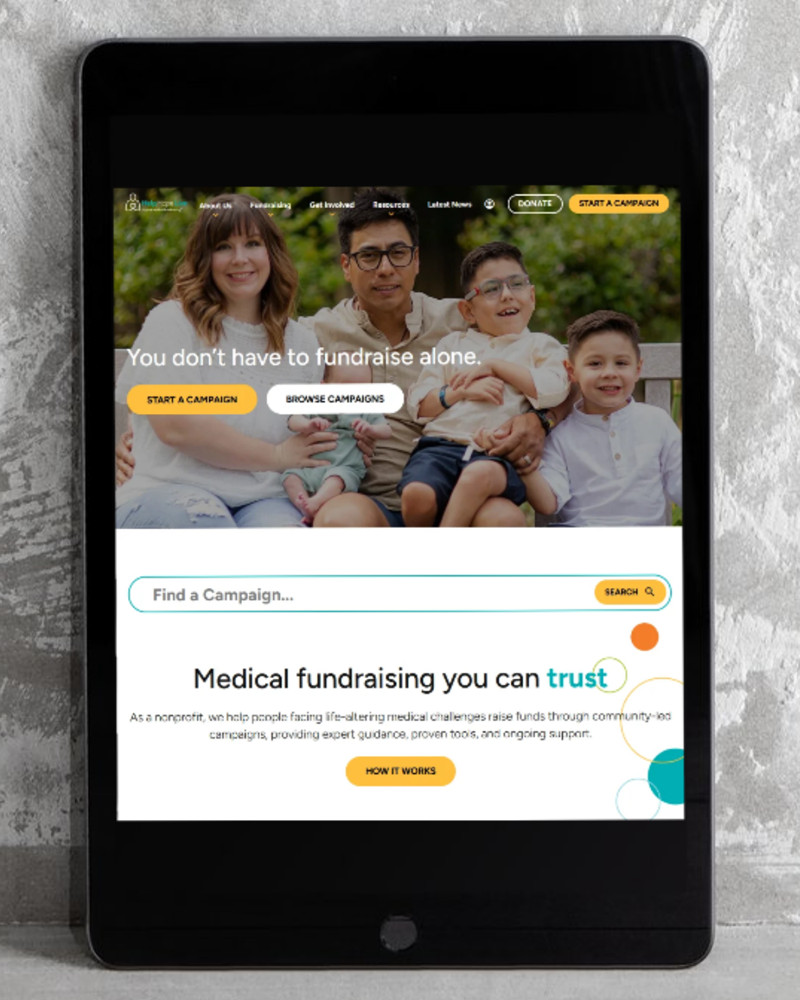
We’re excited to share the new helphopelive.org with you. Our team has been hard at work making improvements to our site. Welcome!
In this blog post, learn what we changed, what stayed the same, and what to do next.
Why the Change?
We made changes to the Help Hope Live website for clearer navigation, to make your Campaign Page more flexible and engaging, and to make fundraising easier overall. We’ve also made our website more mobile-friendly so phone users have just as smooth and easy an experience as desktop users.
To accomplish that, we gave our entire website a cleaner look and feel, simpler navigation, and easier access to Help Hope Live resources and news. We’ve also added new features to your Campaign Page, designed to help you share your story, keep your page current, and better support your fundraising.
What Didn’t Change?
Our changes focused on improving the look and feel of the website without removing any features.
All of the tools and support you receive from Help Hope Live have stayed the same. You will still use the same login information and fund request process.
What Changed?
Here are a few of the biggest improvements we made:
New Donation Options
Supporters can now donate to Help Hope Live using Apple Pay or Google Pay in addition to credit/debit and ACH/bank. They can also use these options to register for events.
Donors can save their payment information using Link if desired to make their next donation even easier.
Campaign Pages
We’ve made big upgrades to our client Campaign Pages that we think you’ll love.
Here’s a quick summary – we hope you’ll log in and take a look around for yourself!
- New menu options so visitors can jump to exactly the section they want to visit first
- Larger campaign pictures
- Updated fundraising thermometers (if enabled)
- See the next upcoming fundraiser in honor of the campaign if any are planned
- Donor roll! See recent donations in honor of a client. This feature is hidden by default – you can enable it or leave it hidden. The donor roll will only show the names and/or amounts for donors who choose to make that information visible.
- On the Fundraisers page, you now have the option to choose between an Event or a Sale. Use the Sale option to sell t-shirts, merch, artwork, and other items with all proceeds benefitting Help Hope Live in your honor.
New Pages & Menus
A new sitewide search accesses both Campaign Pages and the rest of our site’s content for convenience.
You can now Browse Campaigns from our homepage to view campaigns by region, fund, campaign type, and other parameters. You can even see campaigns that are getting close to their fundraising goals.
(Note: all of this visibility only applies to public campaigns and defers to campaign settings, such as hiding the fundraising thermometer.)
You’ll see new options in our navigation menus, including:
- About Us – Our Partners: new section where you can see both referral partnerships and financial partnerships.
- About Us – Our Financials: new section where you can easily find our financial statements, annual impact report, and charity seals.
- Fundraising – How It Works: this new page includes a simple explanation of Help Hope Live and a new explainer video.
- Start a Campaign: we have a new online form for requesting help from Help Hope Live.
Resources
In addition to providing new options for medical professionals, our all-new Resources page allows you to search for relevant community resources. No more PDFs!
What to Do Next
Since your Campaign Page has a new look, now is a great time to refresh your campaign story, photos, videos, and other content.
You can use our guides to make changes:
- Desktop computer guide for the Campaign Dashboard & Editor
- Mobile device guide for the Campaign Dashboard & Editor
- How to write your campaign story