We have a new type of fundraiser for you to add to your Help Hope Live Campaign Page. It’s called a Fund a Need fundraiser.
Click here to see what it looks like, then keep reading to learn how to set up your own fundraiser.
What is a Fund a Need Fundraiser?
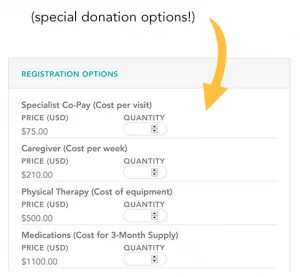
A Fund a Need fundraiser is a unique feature that lives on your Help Hope Live Campaign Page in the Fundraisers section. This fundraiser includes information about you and special donation options that reflect some of your critical medical and related expenses. Check it out:
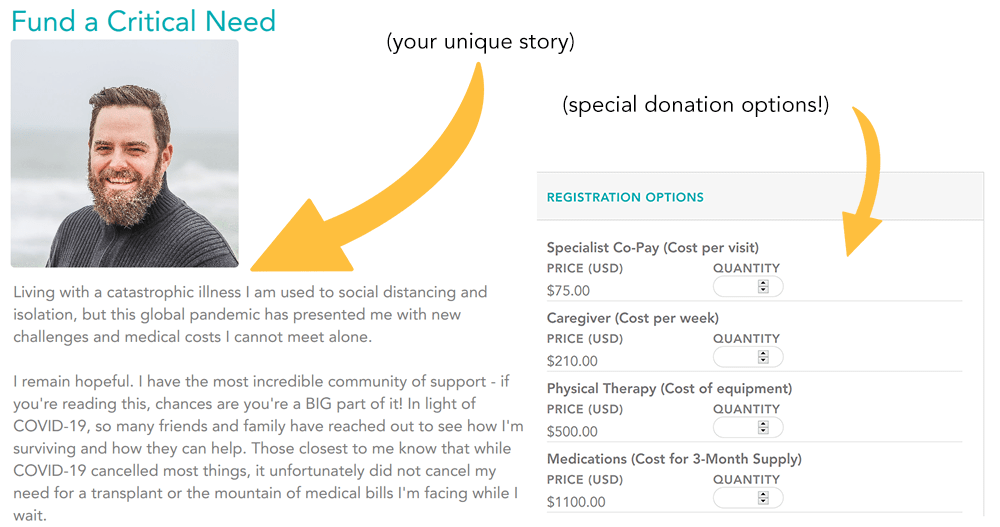
The biggest benefit of a Fund a Need fundraiser is that it shows your community some of the medical expenses that you’re facing in a direct and tangible way. At a glance, they can see why you need to fundraise and how the donations they make could make a difference in your life.
Keep in mind that supporters are not directly covering these individual expenses with their donations—in other words, the funds you raise are not restricted to just one particular cost. Instead, all donations will be securely managed by our nonprofit to help cover any of the medical and related costs you encounter now and in the future.
It’s easy to create your own Fund a Need fundraiser right on your Campaign Page. Here’s how.
Step 1: Log in
Go to helphopelive.org and click on LOGIN.
(Use the Forgot Password option if you need to reset your password.)
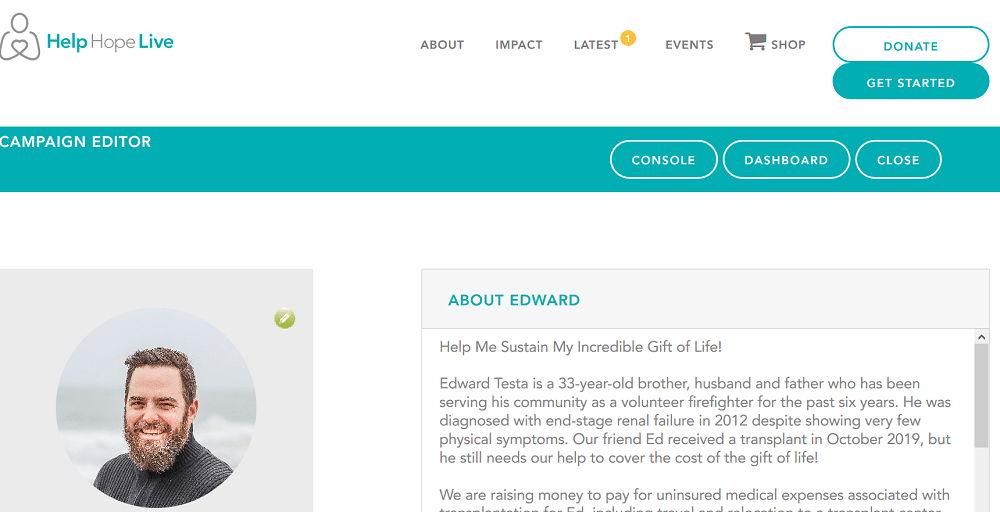
You will arrive at your Campaign Editor, which looks like this:
Step 2: Manage Events
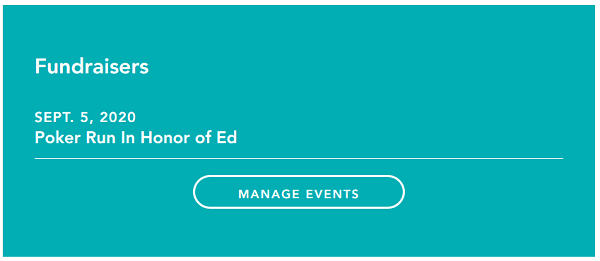
Scroll down to the Fundraisers section of your Campaign Page.
Click Manage Events:
Step 3: Add New Event
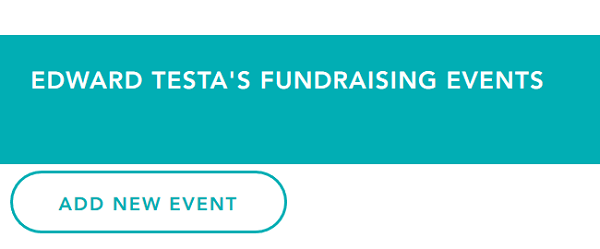
Click Add New Event:
Step 4: Fill in Details
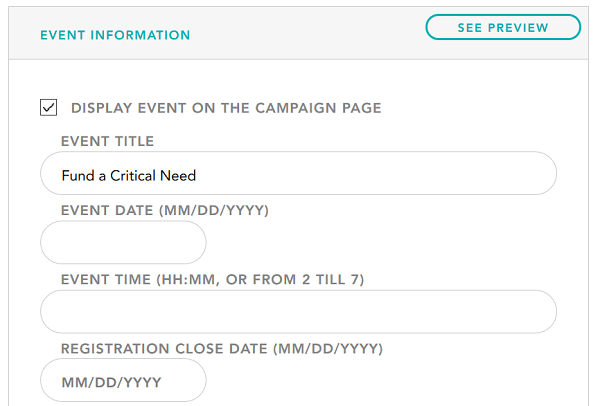
In the Event Information section, check the box to Display Event on the Campaign Page.
Add an Event Title.
You do NOT need to add an Event Date, so skip that section.
Add in a description—it can be as long or as short as you like, but we recommend including:
- Information about you (be brief)
- A summary of your most critical needs
- Any other personal or medical info that may inspire others to give
Here’s an example:
Living with a catastrophic illness I am used to social distancing and isolation, but this global pandemic has presented me with new challenges and medical costs I cannot meet alone.
I remain hopeful. I have the most incredible community of support – if you’re reading this, chances are you’re a BIG part of it! In light of COVID-19, so many friends and family have reached out to see how I’m surviving and how they can help. Those closest to me know that while COVID-19 cancelled most things, it unfortunately did not cancel my need for a transplant or the mountain of medical bills I’m facing while I wait.
– My frequent doctor’s appointments are now handled mostly by phone (same high co-pay)
– My physical therapy now takes place in my living room (which requires me to have access to specialized equipment).
– I have a new caregiver (because my family who usually helps out live in a city that’s been hard-hit by the virus ).
– My medications and groceries must be delivered, sanitized, and stockpiled (just in case stricter stay-at-home orders are put in place)…can we talk about the high cost of cleaning supplies?!
Day by day, like all of you, I’m adapting to this new normal and the new costs that come with it. If you have the capacity to give right now to help me over this next hurdle in my transplant journey, I would be forever humbled and grateful for your support. I’ve listed a few of my most critical needs below just to give you an idea of what your donation to Help Hope Live could help pay for on my behalf.
Click “Register Now” to view. THANK YOU!
You can add an Optional Thank You Message if you want to.
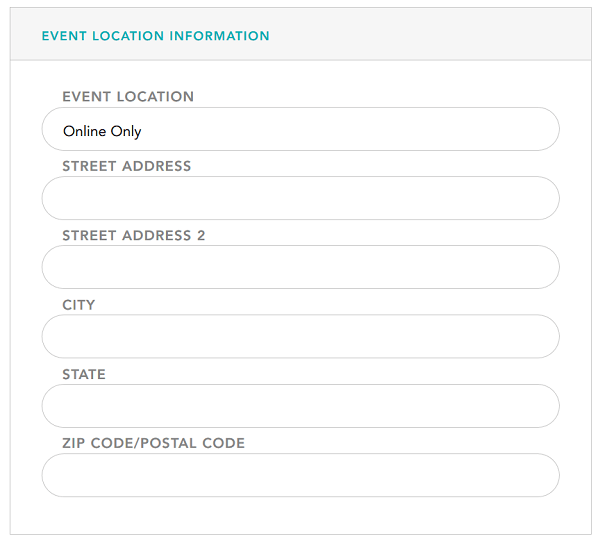
For Event Location, enter Online Only.
You can leave the rest of the Event Location Information fields blank:
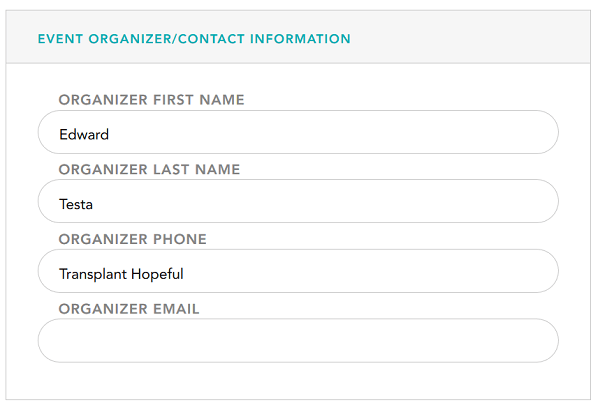
Add your name in the Event Organizer section.
You can optionally include a nickname under the Organizer Phone box—even though your nickname isn’t a phone number, it will appear in bold under your name on the event page:
Step 5: Upload Photo and/or Flyer
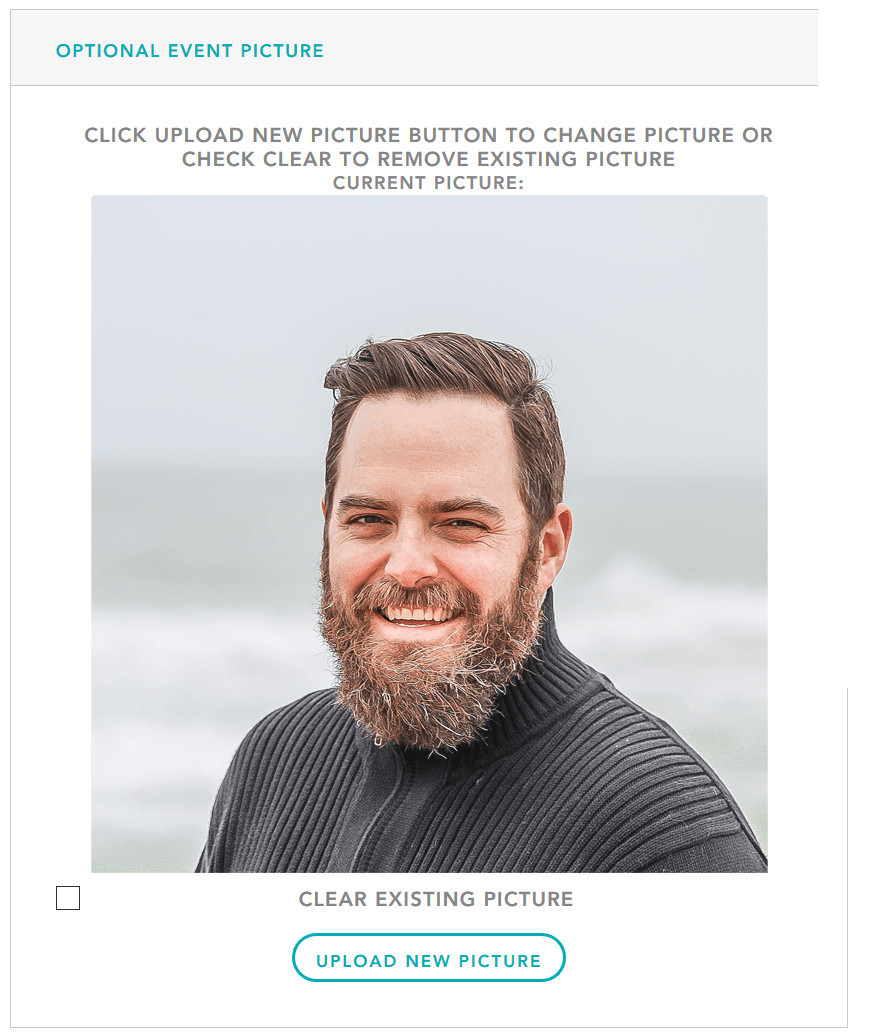
You can click Upload New Picture in the Optional Event Picture section to add a photo.
Step 6: Add Fund a Need Options
Now comes the Fund a Need part!
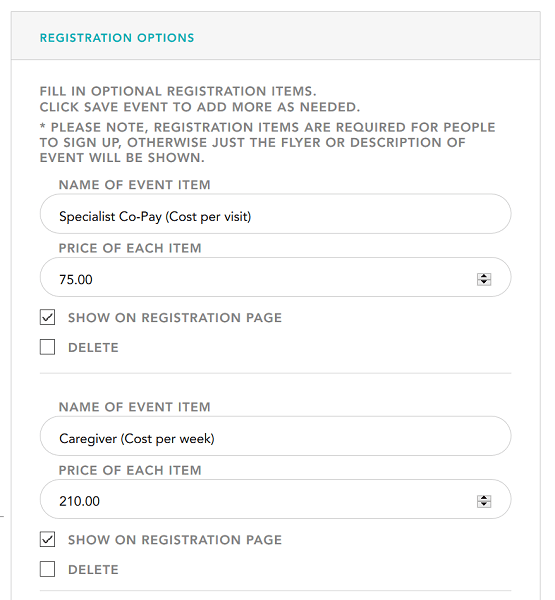
Under Registration Options, you will want to add a few “items” that represent some of the medical and related expenses you encounter in your daily life.
For each item, add a name and “price” (i.e., the out-of-pocket cost of each expense).
Keep in mind this price is just the amount a supporter will donate, and it will not restrict or limit the kinds of fund requests you can make to Help Hope Live to these expenses or amounts.
You can add as many or as few items as you want.
Don’t forget to include an item for General Donations at a price point of $10 or higher so that visitors who may not have the capacity to fund a high-cost need can still support your campaign.
Step 6: Save Event
When you’re all done, click Save Event.
Now, you can click the Close button in the teal bar at the top of your screen to return to your Campaign Editor.
You will see the name of the fundraiser appear in the Fundraisers section of your page!
Want to see what visitors will see? If you’d like to see exactly what your Fund a Need fundraiser will look like for visitors to your Campaign Page, click the Close button in the teal bar at the top of your screen. You will now be able to view your Campaign Page as a visitor.
Click on the name of your Fund a Need fundraiser to see how the page looks!
If you want to make changes, simply tap your Back button twice. Click the name of the event to make edits. Remember to click Save Event when you’re done making changes!
Step 7: Get the Link
Congratulations—you now have a Fund a Need fundraiser page that’s perfect for asking for support!
Navigate to your Campaign Page and click Close to close the Campaign Editor. Once you are viewing your Campaign Page as a visitor (no edit options), click the name of the event.
At the top of your Internet browser in the address bar, you will see a link that looks like this: https://events.helphopelive.org/event/1111/signup/
Copy your page link. You will be able to Paste the link into a social media post, email, or even a text message!
Step 8: Share!
You are ready to spread the word! You can share your Fund a Need fundraiser link with anyone and everyone who might be interested in making a donation to Help Hope Live in your honor.
Bonus—Thanking Donors
Everyone loves receiving a heartfelt “thank you” when they make a difference in someone’s life. One benefit of these special Fund a Need fundraisers is that you can view or download a complete list of donors who participated!
To access the list at any time, simply log in, scroll down to the Fundraisers section of your Campaign Page, and click on Manage Events. If any least one person has made a donation through the Fund a Need page, you will see a button to View Registrants. You’ll get a list of people who have donated so you can thank them!
Help is On the Way
If you hit any snags while setting up your Fund a Need fundraiser page, simply get in touch with your Client Services Coordinator via phone or email. Our team can provide guidance, ideas, and suggestions.
Make sure you take advantage of ALL our virtual fundraising resources, from easy no-donation-required ideas for volunteers to sample social media posts that may help you to communicate your need.
My cause is worthy of support.
My future is worth the effort.
My community loves me.
My hope is not cancelled.