We’re excited to introduce the new online Fund Request Portal, designed to streamline how Help Hope Live clients and authorized team members request funds and track submissions—all from the Help Hope Live Campaign Dashboard.
This new system replaces our email-based process for submitting fund requests and offers an efficient and convenient way to manage fund requests online.
How to Submit a Fund Request to Help Hope Live
In this guide, we’ll show you how to submit a fund request to Help Hope Live, how to track your fund request, and what to expect after you submit.
1. Prepare your documentation.
You will need to upload supporting documents with each fund request (e.g., invoices or receipts).
Before you follow the steps below, make sure that your supporting documents are saved to the device you’re using to submit your request. This will help ensure a smooth and successful submission process.
2. Log in.
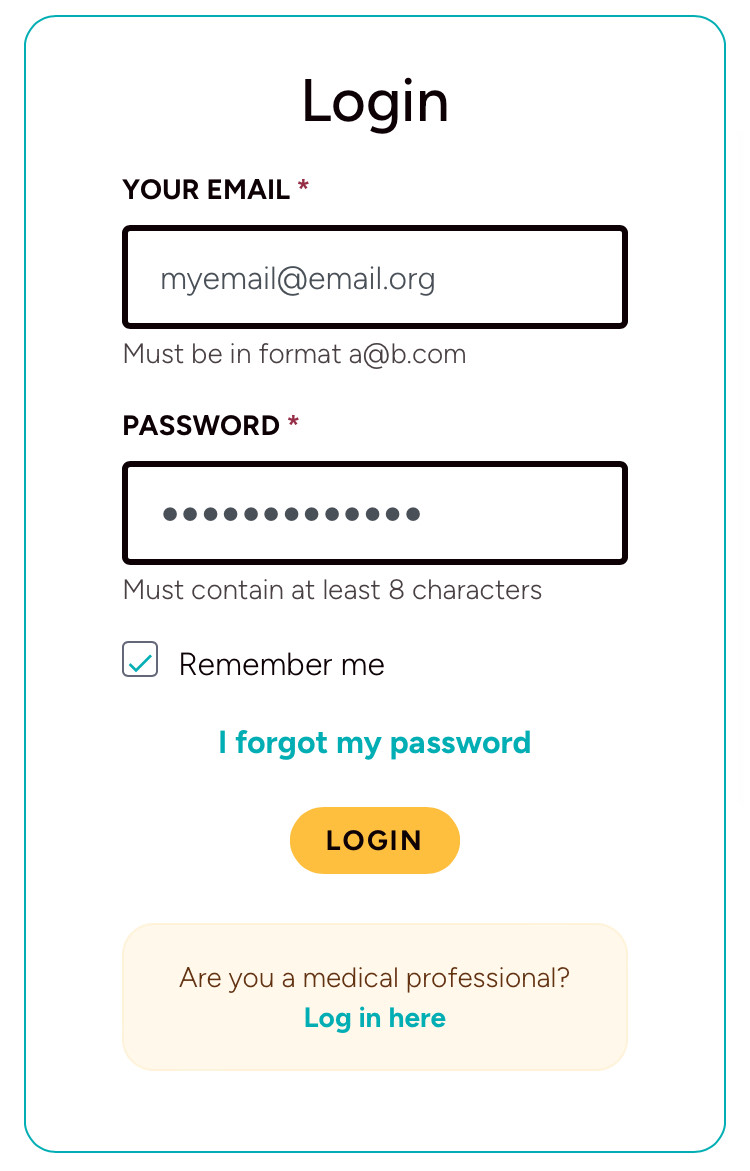
Go to clients.helphopelive.org and log in with your email address and password:
3. Access the Requests section from your Dashboard.
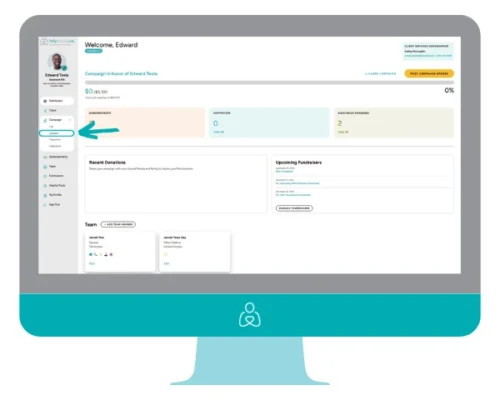
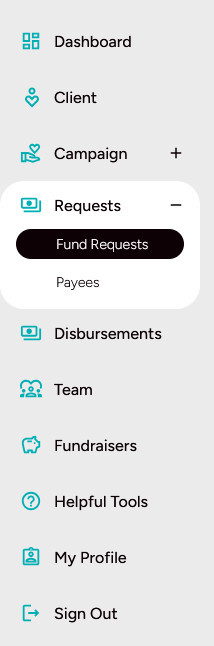
From the Dashboard menu, select Requests.
Tap the plus sign (+) to view available options. Select Fund Requests:
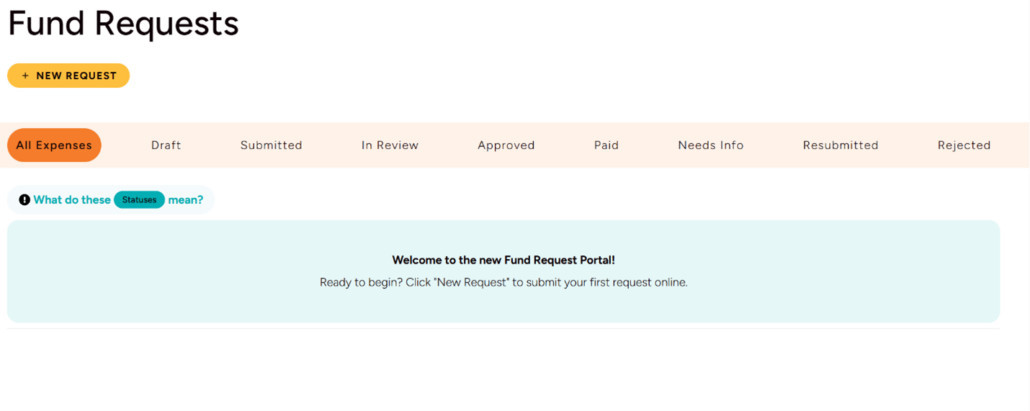
Tap New Request to begin:
4. Complete your request.
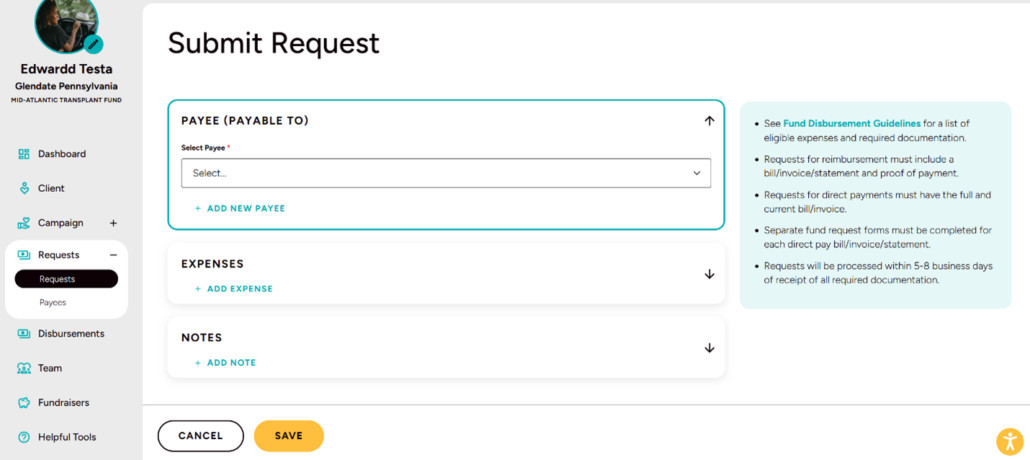
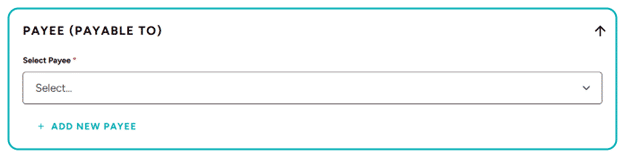
Select a Payee: Choose from your list of verified payees or add a new one if the recipient isn’t listed.
- For your convenience, any payees that Help Hope Live has previously paid on your behalf have been added to the new system.
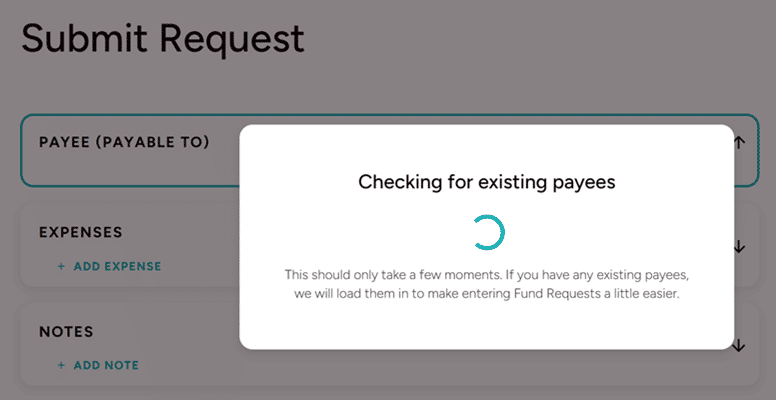
- When you make your first request online, a brief notification may appear while your list of payees is loading:
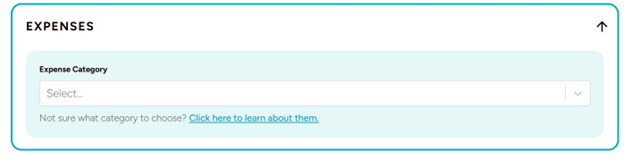
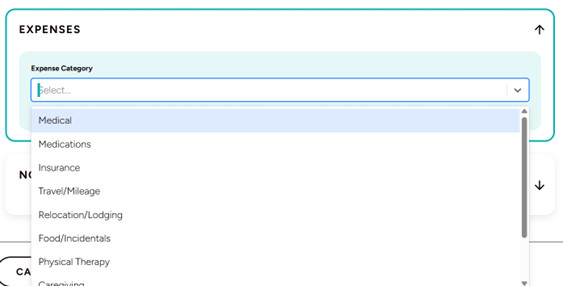
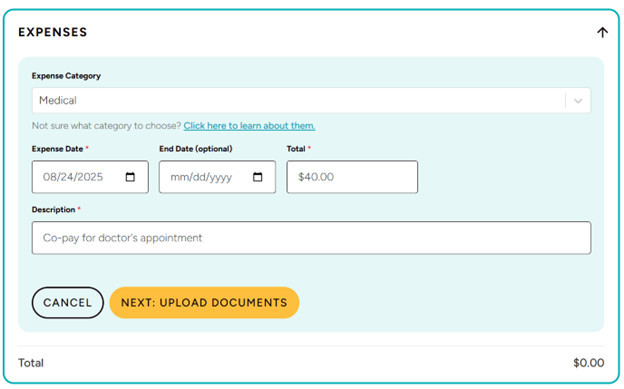
Add an Expense: Select the category that best fits your request.
- Not sure which category to choose? Make your best guess and our team will adjust if needed.
- Fill in the required fields—these are marked with an asterisk (*): Expense Date, Total Amount, and Description:
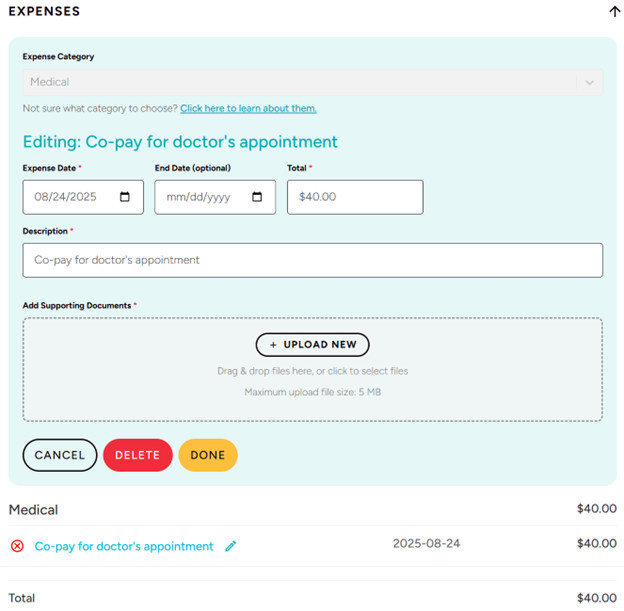
Upload Supporting Document(s): Click Upload New to attach files from your device.
- Once uploaded, the file name will appear highlighted in teal.
- Click Done to continue:
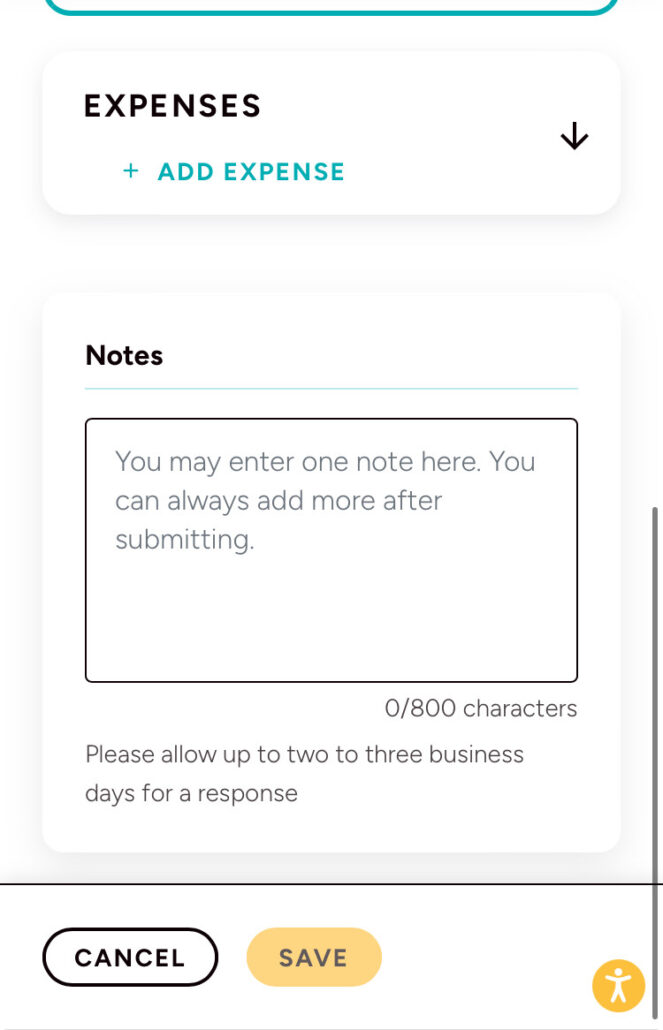
Add a Note (Optional): Include any helpful details (e.g., urgency) in the provided space.
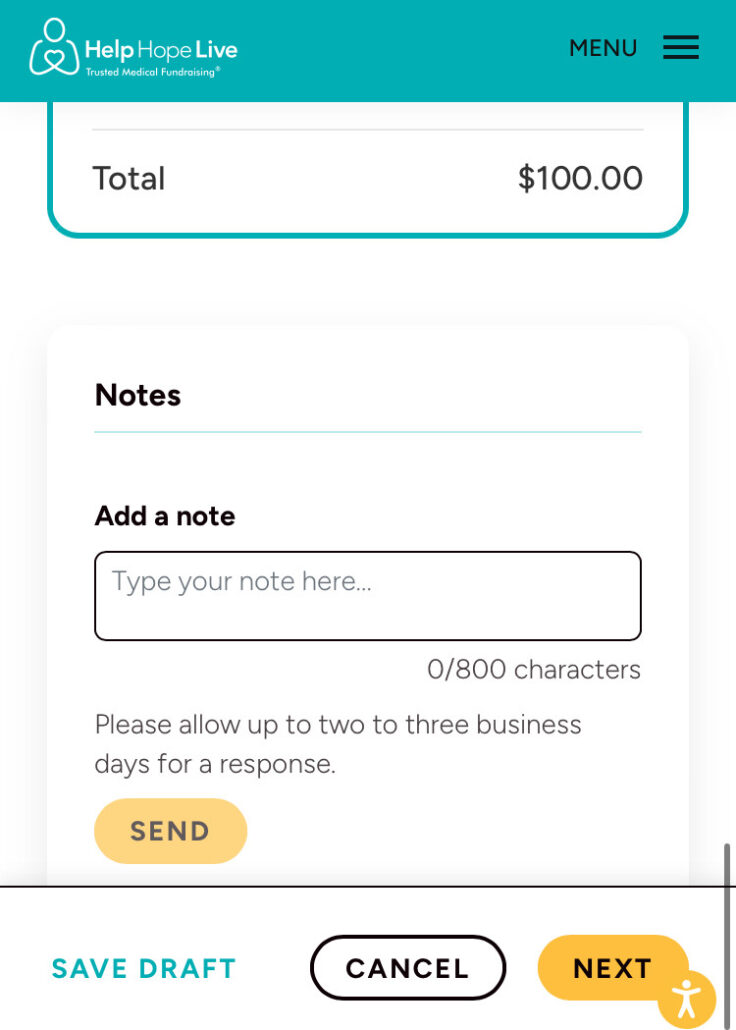
Review and Submit Your Request:
- You can Save Draft at any time if you need to pause and return later.
- When you’re ready, click Next to see a complete summary of the information you’ve entered.
- Carefully review all details for accuracy.
- Once you’ve confirmed everything is correct, check the acknowledgment box, and click Submit Request to send it to our team for processing.

5. Track your request.
After submitting your request, you’ll receive confirmation:
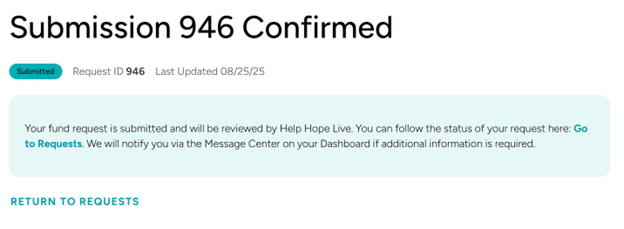
Monitor your request status in the Requests section. If additional information is needed, we’ll notify you through your Dashboard and send you an email:

Status Updates: Real-time status updates will be available on your Dashboard.
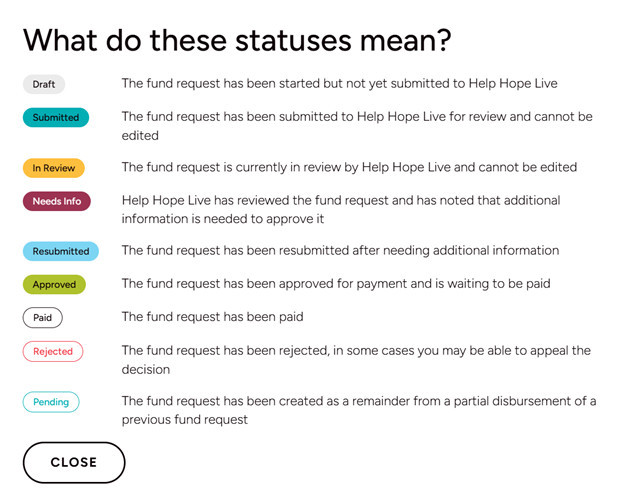
Processing Time: Requests are typically processed within 5–8 business days once our team has received all required documentation.
Need Help or Want to Share Feedback?
Use the green Fund Request Help & Feedback button on your Dashboard to share your experience or reach out to our team directly for personalized support:
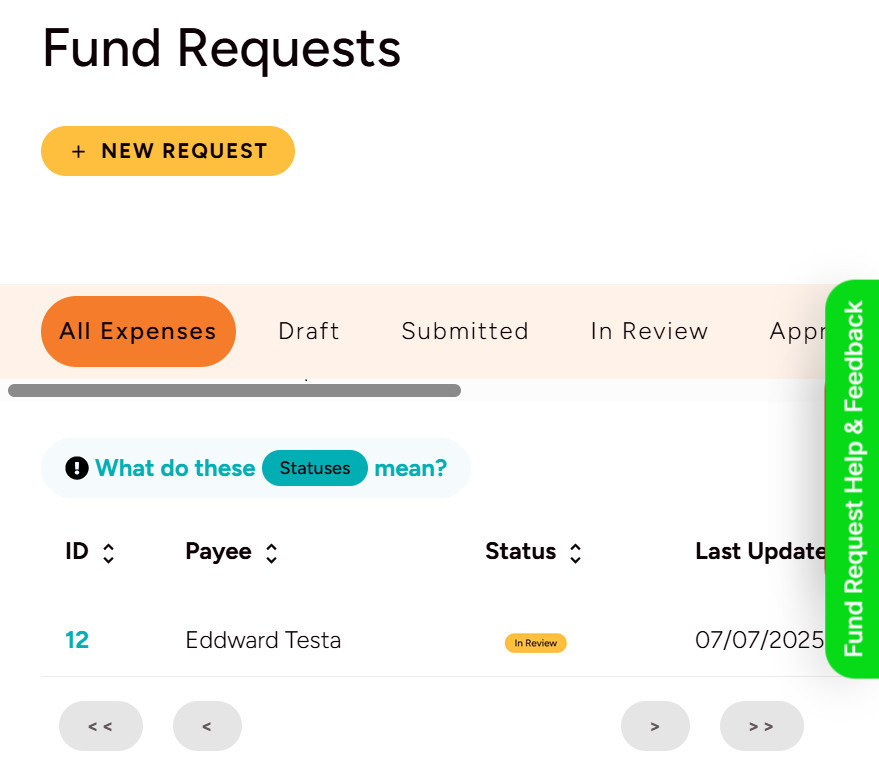
Please do not contact our team for updates on your fund requests, as this may delay your request and others.
Frequently Asked Questions about Fund Requests
Q: Can I still submit fund requests to [email protected]?
A: While we encourage all clients to use the new online Fund Request Portal for more efficient submissions, you can still submit requests via email to [email protected] if needed.
However, please note that email submissions may take longer to process as our team will still need to enter them into the new system.
For the best experience, we recommend submitting your requests through your Campaign Dashboard at clients.helphopelive.org.
Q: Will I still receive communication via email?
A: Yes, you will continue to receive important updates and notifications via email. However, with the new Fund Request Portal, many communications—such as request status updates or document needs—will also appear on your Campaign Dashboard.
We recommend checking both your email and your Dashboard regularly to stay informed and ensure timely processing of your requests.
Q: How do I submit multiple receipts/invoices (from different vendors) in a single request? Can I use a single request to request reimbursement for medical supplies I purchased from different vendors, or do I need to submit a different request for reimbursement for each vendor purchase?
A: You can submit multiple expenses with different vendors in one fund request only if it is a reimbursement. However, you need to submit a separate fund request for each vendor we need to pay directly.
More Guides & Resources
New to the Campaign Dashboard? We have a guide for that! Click here for the mobile guide or click here for the desktop guide.
Your Fundraising Roadmap: Find our top resources for fundraising basics, including telling your story and choosing photos, in our Fundraising Roadmap series.
Fundraising tips, social media guides, and more: Plan your next community outreach with our fundraising guides. We are here to help, so contact your Client Services Coordinator to call on our personalized fundraising help to guide the way.